T-Test Calculator for Excel & CSV
Run one-sample, independent, and paired t-tests online from Excel or CSV data. Get p-values, confidence intervals, and effect sizes with AI.
Or try with a sample dataset:
Preview
What Is a t-Test?
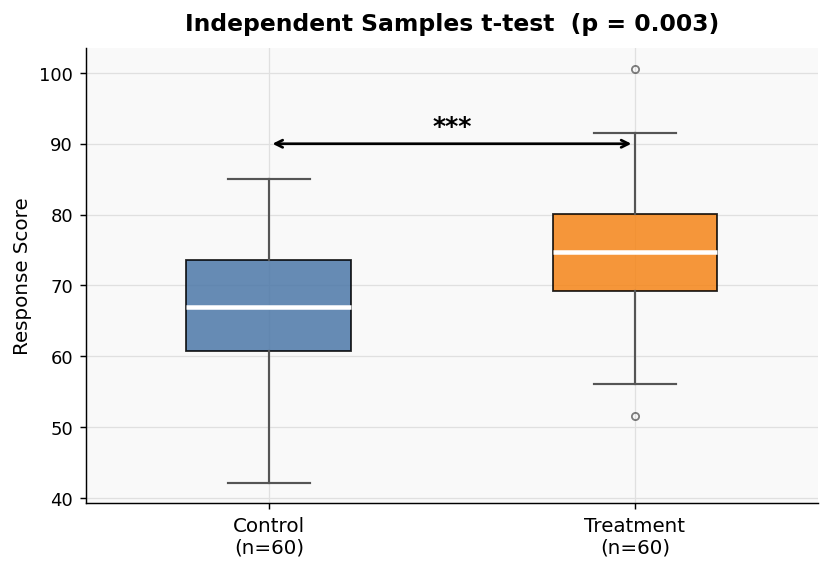
A t-test determines whether the means of one or two groups are statistically significantly different from each other (or from a hypothesized value). It is one of the most common statistical tests in research, medicine, and business analysis.
There are three types of t-test — describe your data and the AI will choose the right one automatically:
| Type | When to use |
|---|---|
| One-sample t-test | Compare a sample mean to a known or hypothesized value |
| Independent samples t-test | Compare means of two separate, unrelated groups |
| Paired samples t-test | Compare means from the same subjects measured twice (before/after) |
How It Works
- Upload your data — CSV or Excel, or type your values directly in the prompt
- Describe your comparison — e.g. "compare mean exam score between the control and treatment groups"
- Get full results — t-statistic, p-value, confidence interval, effect size (Cohen's d), and a plain-English interpretation
The AI generates Python code using SciPy and Pingouin.
Interpreting the Results
| Output | What it means |
|---|---|
| t-statistic | How many standard errors the means are apart; larger absolute value = more evidence of a difference |
| p-value | Probability of observing this difference by chance; p < 0.05 is conventionally significant |
| 95% confidence interval | The range that likely contains the true difference in means |
| Cohen's d | Effect size: small ≈ 0.2, medium ≈ 0.5, large ≈ 0.8 |
Example Prompts
| Scenario | What to type |
|---|---|
| Two groups in a column | independent t-test: compare salary between male and female employees |
| Before/after measurement | paired t-test: compare pre_score and post_score columns |
| Against a target | one-sample t-test: test if mean delivery_time equals 3 days |
| Raw numbers | t-test between group A: [12,15,14,16,13] and group B: [18,20,19,22,17] |
Assumptions to Check
- Normality — each group should be approximately normally distributed (less critical for n > 30)
- Independence — for independent t-test, observations must not be related across groups
- Equal variances — for independent t-test, Levene's test is run automatically; if violated, Welch's t-test is used instead
Frequently Asked Questions
What if I have three or more groups? A t-test only compares two groups at a time. For three or more groups, use the one-way ANOVA calculator to avoid inflating your false-positive rate.
What's the difference between one-tailed and two-tailed tests? A two-tailed test asks "are the means different?" (either direction). A one-tailed test asks "is group A specifically greater than group B?" Specify in your prompt if you need a one-tailed test; the default is two-tailed.
My sample is very small — is the t-test still valid? The t-test is designed for small samples. However, with fewer than ~10 observations per group, check normality carefully. Ask the AI to also run a Mann-Whitney U test (the non-parametric alternative) for comparison.
Do I need to upload a file? No — for small datasets you can type the values directly: "t-test: group1=10,12,14,11,13, group2=15,18,16,17,14".